8 Ways to Reduce Printer Ink Costs
Many people struggle with the high costs of printer ink, which can quickly add up and eat into your budget. If you’re tired of constantly replacing cartridges, you’re not alone. Luckily, there are simple ways to cut those expenses without sacrificing quality.
To cut printer ink costs, start by setting clear policies to avoid unnecessary printing and encourage digital sharing. Enable default duplex printing and choose ink-efficient fonts like Century Gothic. Use print management software to monitor usage and set limits.
Opt for tank printers or refillable ink systems for lower costs, and compare subscription plans with rollover options.
Regularly maintain your printer and adjust settings like resolution and color to save ink. Keep going to find even more effective strategies.
Key Takeaways
- Enable default duplex printing to cut paper and ink usage by printing on both sides of the page.
- Use ink-efficient fonts like Century Gothic or Ecofont. This can significantly reduce how much ink you use.
- Implement print management software to monitor, restrict, and optimize printing activities. This helps minimize waste and saves money.
- Opt for refillable tank printers and buy bulk ink bottles. It’s a great way to lower your per-page ink costs.
- Schedule regular maintenance and use draft mode or lower resolution settings. Doing this during less important prints helps conserve ink.
Set Clear Printing Policies to Reduce Waste
Have you ever thought about how much unnecessary ink gets used because of unclear printing policies? Setting clear rules helps cut down on waste and keeps ink usage in check.
Create specific guidelines, like limiting personal printing and encouraging employees to review documents before printing. Promote digital sharing and storage to reduce the need for printed copies, which also saves paper and ink.
Set limits on personal printing and encourage digital sharing to save paper and ink effectively.
Default to black-and-white printing unless color is really necessary. You can also set up approval processes for high-volume or color print jobs.
These policies make sure everyone knows when and what to print, preventing unnecessary ink use. Clear printing rules streamline operations, cut costs, and support eco-friendly practices.
Enable Double-Sided (Duplex) Printing by Default
Enabling double-sided (duplex) printing as the default setting is one of the most effective ways to cut paper and ink costs. Duplex printing reduces paper usage by up to 50%, helping you save on supplies and storage.
Most modern printers offer an automatic setting that can be easily activated through printer preferences or driver options. This makes it simple to implement across your organization.
By consistently using duplex printing, you minimize the need for extra pages, which in turn lowers ink consumption. This default policy not only decreases print costs but also promotes environmentally sustainable practices by conserving resources like trees and water.
Making duplex printing the standard ensures long-term savings and supports your commitment to eco-friendly operations.
Pick Ink-Saving Fonts and Layouts
Choosing the right fonts and layout settings can significantly cut your ink costs without sacrificing readability. Ink-efficient fonts like Century Gothic or Ecofont can reduce ink use by up to 75%.
Sans-serif fonts with thinner strokes and less fill tend to consume less ink per page. Adjusting your font size and line spacing can also help lower ink consumption while keeping the text clear.
Layout optimization is key—try to minimize white space and margins to fit more content on each page. This reduces the number of sheets and ink needed.
Avoid large graphics and excessive spacing to save even more ink. Additionally, choosing a lower print resolution, like 300dpi instead of 600dpi, conserves ink on non-photo documents.
These simple changes can help you cut printing costs significantly without sacrificing quality.
Use Print Management Software to Track and Control Usage
Implementing print management software gives you clear visibility into your printing activities, showing who prints, what they print, and when. This helps you spot unnecessary or excessive ink usage.
You can set print policies and quotas to limit wasteful printing and control costs more effectively. Secure release features make sure prints are only collected when users are present, reducing unclaimed prints and ink waste.
Print analytics offer valuable data on ink consumption patterns. With this info, you can develop targeted strategies to cut costs. To get the most out of it, focus on monitoring print volumes, enforcing policies, identifying high-usage users, and optimizing resource use.
Using centralized control, you can extend printer lifespan, cut ink expenses, and encourage responsible printing throughout your organization.
Choose Tank Printers or Refillable Ink for Cost Savings
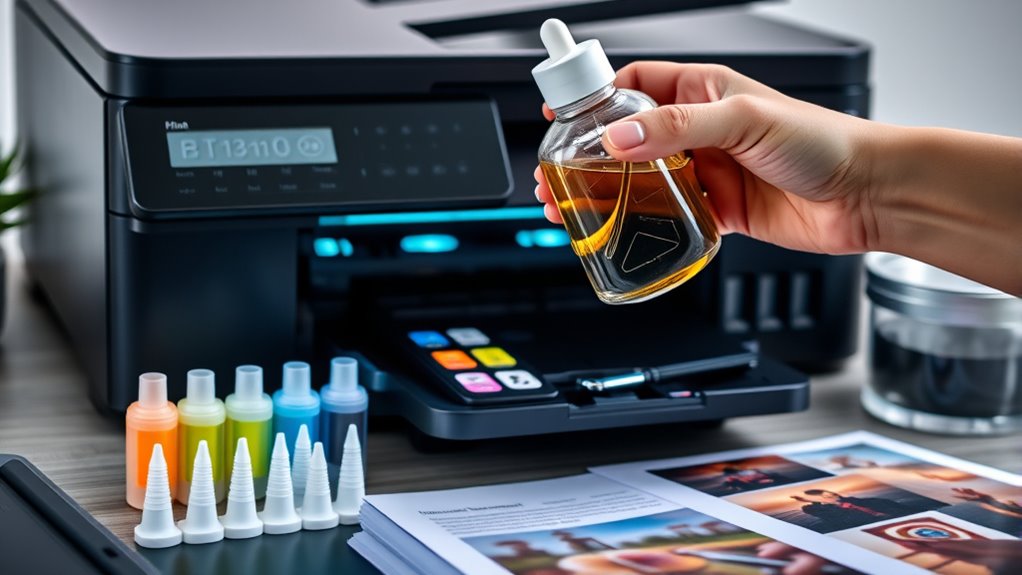
Are you looking to cut printing costs considerably? Tank printers with refillable ink tanks are a smart choice for reducing printing expenses, especially if you do a lot of printing. These printers use refillable ink systems that can hold hundreds to thousands of pages, lowering your cost per page.
Buying bulk ink bottles is often 80-90% cheaper per milliliter than OEM cartridges, which really boosts your savings. While tank printers might cost more upfront, their lower ongoing costs make them perfect for frequent printing.
Brands like Epson’s EcoTank offer some of the lowest costs—about 0.3 cents per black-and-white page. To get the most savings, make sure you keep your printer well-maintained and practice proper refilling methods.
This helps prevent nozzle clogging and ink drying, keeping your printing consistent and cost-effective.
Compare Ink Subscription Plans and Rollover Options
If you’re looking for more ways to save on printing costs, comparing ink subscription plans and rollover options can be really helpful. Ink subscription plans from providers like HP, Canon, and Epson come with tiered monthly page limits and flexible cancelation, making it easier to manage your ink expenses.
Rollover options let you carry over unused pages for up to 2-3 months. This way, you can maximize the value of your plan and reduce waste. Keep in mind that plans are flexible and have no long-term commitments.
Page limits help control your costs based on how much you print. If you go over the limit, extra pages are usually charged around $1 for every 10-15 pages. Rollover policies make sure your unused pages aren’t wasted.
Maintain Your Printers for Better Ink Efficiency
Regular maintenance checks and using genuine parts keep your printer running smoothly and prevent ink waste.
Cleaning printheads and performing calibration help ensure the ink flows properly and the print quality stays high.
Regular Maintenance Checks
Performing regular maintenance checks is key to keeping your printer running smoothly and saving ink. Routine tasks like cleaning the printhead and checking nozzles help prevent clogs that waste ink and hurt print quality.
Regular inspections also help extend your ink cartridge life and make your ink last longer. During maintenance, focus on cleaning the printhead to keep nozzles clear, checking for leaks to stop unnecessary ink loss, removing dust to improve performance, and replacing worn parts to prevent issues.
Scheduling these checks based on your manufacturer’s advice ensures you get consistent print quality and avoid costly refills. Keeping your printer clean and well-maintained reduces errors, prevents ink wastage, and helps your device last longer.
Proper maintenance is a simple yet effective way to cut down on ink costs over time.
Use Genuine Parts
Using genuine OEM ink cartridges is essential for maintaining your printer’s efficiency and ensuring peak ink usage.
Genuine ink cartridges are designed specifically for your printer model, which improves ink flow, reduces clogging, and enhances ink efficiency. This means better print quality and less ink waste caused by incompatible or low-quality third-party options.
Manufacturers optimize their cartridges to maximize ink yield, so you get more pages per cartridge and save money over time. Plus, genuine parts include features like anti-drying seals and protective mechanisms that keep ink fresh, prevent leaks, and support consistent ink flow.
Adjust Resolution and Color Settings to Save Ink
Adjusting your printer’s resolution and color settings is a simple way to cut ink costs. Lower the resolution from 600dpi to 300dpi, and you can reduce ink usage by 30-50% without losing print quality.
Printing in draft mode can save up to 50% of ink on everyday documents. To get the most savings, consider switching to black and white or grayscale instead of color.
Use monochrome mode for large-volume printing to further cut costs. You can also choose fonts with thinner strokes, like Ecofont or Century Gothic.
Finally, adjusting the print density in your printer settings can help you use less ink on each page.
Frequently Asked Questions
How Can I Reduce Printer Ink Costs?
You can cut printer ink costs by switching to draft or economy mode for everyday printing. This uses less ink and helps save money.
Try using ink-efficient fonts like Century Gothic or Ecofont. Also, choosing compatible or high-capacity cartridges can maximize ink usage and lower your cost per page.
Printing double-sided is another good tip—this saves both paper and ink. Don’t forget to regularly clean your printheads to keep the ink flow smooth, which reduces waste and expenses.
Why Is Printer Ink so Expensive Right Now?
Printer ink is so expensive right now because manufacturers use proprietary formulas and advanced technology, which drives up production costs. They often include microchips and sensors, adding to the price.
Limited competition in the market allows these companies to set high prices without much pressure. Plus, the cartridges have a big markup over manufacturing costs, making them a costly ongoing expense for you.
How to Reduce Printer Ink Consumption?
To cut down on printer ink, start by lowering your print resolution to 300dpi instead of 600dpi. This simple change can save a lot of ink without sacrificing too much quality.
Switch to ink-efficient fonts like Century Gothic or Ecofont. They use less ink and can make a noticeable difference over time.
Use double-sided printing to save both ink and paper. It’s an easy way to be more eco-friendly and cost-effective.
Adjust your document layout to reduce white space and avoid unnecessary graphics. This helps you use less ink for each print job.
Make sure to regularly clean your printheads. Keeping them in good shape prevents ink wastage and ensures your prints look sharp.
These easy steps help you save money on ink without sacrificing the quality of your prints.
How Do You Stop Ink Cartridges From Drying Out?
Did you know that improperly stored ink cartridges can dry out in just a few weeks? To prevent this, keep your cartridges sealed and store them in a cool, dry place.
Regularly use your printer at least once a week, and always turn it off properly to let ink circulate. Use cleaning cycles when needed, and consider protective covers for long-term storage to keep ink moist and ready for use.
Conclusion
By adopting these strategies, you’ll slash your printer ink costs so dramatically that your budget might just throw a party in celebration! Imagine printing endless pages without draining your wallet—saving enough money to buy a small island or fund a rocket to the moon.
With these simple yet powerful tips, you’ll turn your printer from a costly villain into a budget-friendly hero. Every print will feel like a victory for your finances.
In the end, mastering these printer ink-saving tricks will make a big difference. Not only will you cut costs, but you’ll also get more out of each ink cartridge, making your printing more economical and eco-friendly.