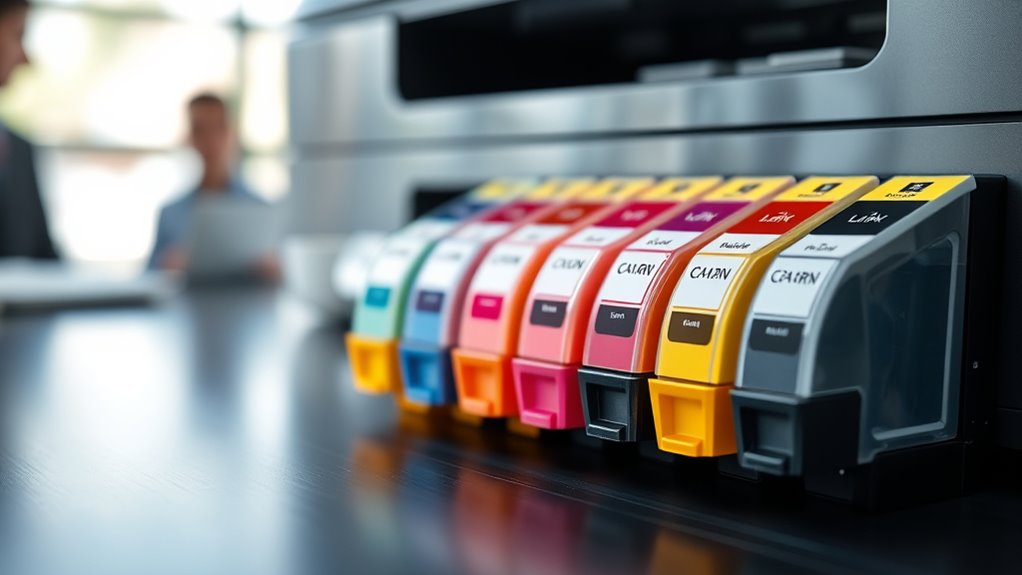
What Ink Cartridge Do You Need?
Finding the right ink cartridge can be a real headache, especially with so many options out there. You’re not alone—many people struggle with figuring out which cartridge fits their printer and meets their printing needs.
To find the right ink cartridge, you need to identify your printer’s type (inkjet or laser) and model number, which is usually on the device or in the manual.
Then, check if your cartridge is compatible by matching model numbers or using online filters.
Decide if you want standard or high-yield cartridges based on your printing needs.
Keep cartridges stored properly, monitor ink levels, and compare prices.
If you want to learn more, you’ll find helpful tips below.
Key Takeaways
- Check your printer’s model number to find out which ink cartridge types and sizes are compatible.
- Make sure whether your printer uses inkjet or laser toner so you can pick the right cartridge.
- Look at the labels and model numbers on your current cartridges or check the user manual.
- Think about how much you print. If you print a lot, high-yield cartridges are a good choice. For occasional printing, standard cartridges work fine.
- You can also use the manufacturer’s online tools or other resources to find the exact cartridge you need.
Identify Your Printer Type and Model
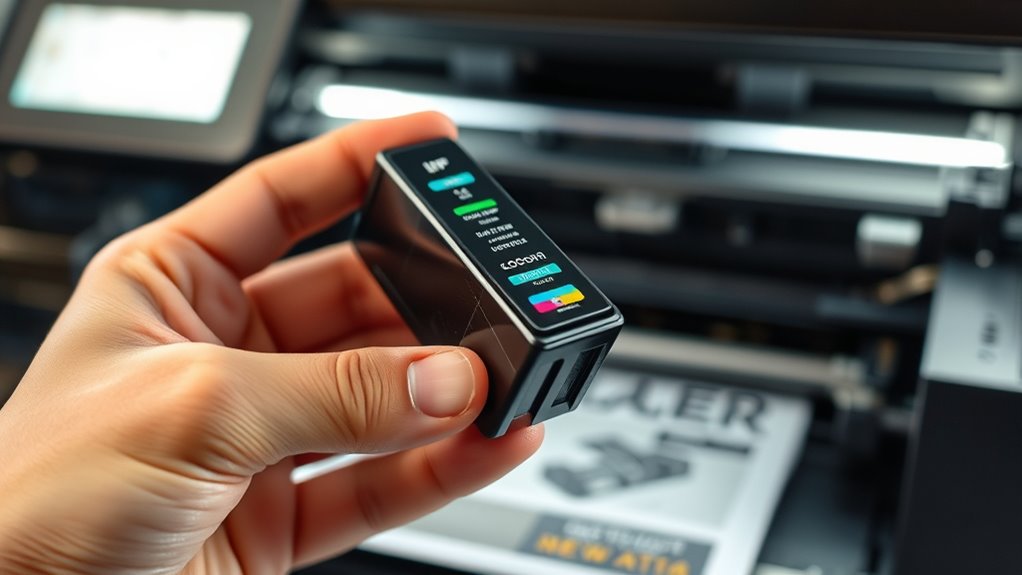
To identify your printer type and model, start by examining your device closely. Look for the printer model number, which is usually found on the front, top, side, back, or inside the cartridge compartment, often near the control panel or on a label.
Determine whether you have an inkjet printer or a laser model by checking the user manual, printer dialogue box, or inspecting the cartridges. Inkjet printers use liquid ink, while laser printers rely on toner cartridges filled with powder.
For inkjet models, note the cartridge labels, such as “HP 63 Black” or “Canon PG-245,” to identify the correct ink. Use the printer model to verify compatibility with specific cartridges, ensuring you select the right type for your device.
Find Your Printer and Cartridge Numbers
Finding your printer and cartridge numbers is key to getting the right replacements. Start by locating the printer model number, which is usually on the front, top, side, or inside the cartridge compartment.
Locate your printer’s model number on the front, top, side, or inside the cartridge area for accurate replacements.
Cartridge numbers are printed directly on the cartridge itself, often on the label or plastic casing. If you can’t see the model or cartridge numbers, check your printer’s user manual or original packaging for this info.
Once you have these details, you can search online to find the perfect cartridge for your device. Knowing your printer’s model and cartridge numbers helps you pick the right, compatible cartridge.
This makes sure you get maximum performance and avoid any compatibility issues. It’s an important step for a smooth replacement process.
Use Your Model Number to Find Compatible Cartridges
Once you’ve identified your printer’s model number, finding compatible cartridges becomes easy. Your model helps you choose the right cartridges that will work correctly and give you the best print quality.
Most manufacturers list compatible cartridge models in the user manual or on their website, specific to your printer. Entering your model number into online stores or compatibility tools filters the search results.
This way, you only see cartridges guaranteed to fit your device, preventing issues caused by incompatible cartridges. Using the right ones helps avoid printing problems or damage.
Knowing your model number also makes it simpler to decide between high-yield or standard cartridges based on your printing needs. Overall, using your model number streamlines the process and guarantees a good match for your printer.
Understand Ink Cartridge and Toner Types
Understanding the differences between inkjet and laser cartridges helps you choose the right one for your needs. Ink cartridges use liquid ink for high-quality images, while toner cartridges rely on powder for fast, sharp text.
Considering factors like longevity and cost can also help you pick the best cartridge type for your printer. Knowing these differences makes it easier to find the right fit for what you need.
Inkjet vs. Laser Differences
While both inkjet and laser printers serve the same basic purpose, their differences in ink cartridges and toner significantly affect performance and cost. Inkjet printers use liquid ink cartridges that spray tiny droplets, making them perfect for high-resolution photos and detailed images.
Laser printers, on the other hand, rely on toner cartridges filled with powder that’s fused onto paper with heat. This results in sharp, fast-text text. Ink cartridges tend to be smaller and less expensive upfront but need frequent replacements for high-volume printing.
Toner cartridges are larger, more durable, and offer a higher page yield. This makes them more cost-effective for big jobs. The main difference is in the printing technology: liquid ink for inkjet and powder toner for laser printers.
Cartridge Types Explained
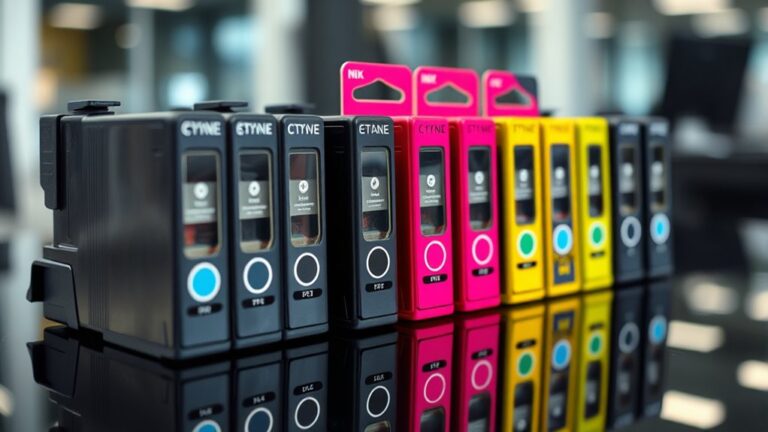
Are you confused about the different types of printer cartridges and which one is right for your needs? Ink cartridges come in various forms, including OEM cartridges, compatible cartridges, and high-yield cartridges.
OEM cartridges are made by the printer manufacturer and often guarantee the best print quality. Compatible cartridges are produced by third-party companies, usually at a lower cost, but quality can vary.
High-yield cartridges hold more ink or toner, offering more pages for a higher upfront price. This can lower your cost per page and is great for frequent printing.
Toner cartridges, used in laser printers, tend to last longer and are better suited for high-volume printing. Matching the right cartridge model number to your printer is crucial to prevent damage and ensure ideal print quality.
Longevity and Cost Factors
Choosing the right cartridge depends heavily on longevity and cost considerations. High-yield cartridges and toner cartridges tend to offer a lower cost per page and longer print life, making them a smart choice if you print often.
Inkjet cartridges usually last for about 200-500 pages, while laser toner cartridges can print anywhere from 1,000 to over 20,000 pages depending on capacity. Toner cartridges also have a longer lifespan and shelf life—about 1 to 2 years—compared to ink cartridges, which may dry out or clog if not used for a while.
Although high-yield cartridges have a higher upfront cost, they are more economical long-term because they produce more pages, reducing your overall printing costs. Proper storage can also help extend cartridge life and keep your print quality high.
Decide Between Standard and High-Yield Cartridges
Deciding between standard and high-yield cartridges depends on how often you print and your budget.
Standard cartridges are great for occasional printing. They cost less upfront but have a smaller page yield.
High-yield cartridges offer more pages—often 2 to 3 times more—and are more cost-effective over time. They can lower your printing cost per page.
If you print regularly, a high-yield cartridge can reduce how often you need to replace it and keep your printer running smoothly.
Just make sure to check your printer’s compatibility and recommended cartridge type before buying. Not all printers support high-yield cartridges.
Ensuring your device can handle them helps you avoid issues and get the most value from your purchase.
Choose the Right Cartridge Based on Your Printing Habits
To choose the right cartridge, think about how often and how much you print each month. If you print often, high-yield cartridges can save you money and cut down on replacements.
For occasional printing, standard cartridges are usually enough. Matching your cartridge type to your printing habits helps you get the best value and efficiency.
Print Volume Frequency
Understanding your print volume is key to choosing the right cartridge. If you print often, high-yield cartridges can last longer and mean fewer replacements, saving you both time and money.
For occasional printing, standard cartridges are usually enough, especially if you print fewer than 200 pages a month. Keeping track of how often you print helps you avoid waste and cartridge expiration issues.
| Print Volume | Recommended Cartridge | Benefits |
|---|---|---|
| Over 300 pages/month | High-yield cartridges | Fewer replacements, lower cost per page |
| 100-200 pages/month | Standard cartridges | Great for light printing, minimal waste |
| Frequent printing | High-yield or extra-high-yield | Longer cartridge life, fewer interruptions |
| Infrequent printing | Standard cartridges | Cost-effective for low volume |
| Sporadic printing | Standard cartridges | Helps prevent expiration and waste |
Cartridge Yield Options
Choosing the right cartridge yield depends on how often and how much you print. If you print frequently or in large volumes, high-yield cartridges are a smart choice. They can print between 1,000 to 2,500 pages, which lowers your cost per page.
These cartridges are cost-effective for high printing volume and help reduce expenses over time. On the other hand, standard cartridges, which yield around 200 to 400 pages, suit occasional printing needs and prevent waste when your printing volume is low.
Always check your printer’s recommended cartridge yield to match your habits accurately. Picking the right cartridge yield ensures you get the best value, balancing your printing needs with your budget and avoiding unnecessary costs.
Cost-Effective Buying Strategies
Selecting the right cartridge based on your printing habits can significantly impact your overall costs. If you print often, high-yield cartridges are a good investment because they offer a lower cost per page, even though they cost more upfront.
For infrequent printers, standard cartridges help avoid paying for ink you might not use before it expires. Calculating the cost per page—by dividing the cartridge price by its page yield—can help you pick the most economical choice.
Buying in bulk or getting multi-pack cartridges can also cut down expenses and ensure you have replacements ready when needed. By choosing cartridges that match your printing volume, you’ll save money and extend your printer’s lifespan.
Monitor Ink and Toner Levels in Your Printer
Many printers make it easy to check ink and toner levels through their control panels or software on your computer. You can view ink levels and monitor cartridges using the printer’s menu, status monitor, or a dedicated app, depending on your device.
Color printers often show remaining percentages for each ink color, helping you keep track of specific cartridges. Regularly checking these levels prevents surprises and makes sure you’re ready for cartridge replacements.
Printer alerts or notifications usually pop up on your computer or printer when ink levels are low, prompting you to take action. Staying on top of ink and toner status means you won’t be caught off guard, so your printing stays smooth and hassle-free.
Troubleshoot Compatibility and Print Quality Problems
When you notice print quality issues like streaks, faded images, or color inaccuracies, the problem often comes from incompatible cartridges or clogged print heads. To troubleshoot, check if your cartridge model matches your printer by comparing numbers in the user manual or on the manufacturer’s website.
Make sure the cartridge is installed correctly—that it’s seated properly and that ink levels are enough. Also, verify that the cartridge isn’t expired, as expired cartridges can cause printing problems.
If issues continue, try cleaning the print head to improve print quality. Switching to a genuine OEM cartridge can also help fix compatibility and print quality issues caused by third-party or remanufactured options.
Store and Handle Ink and Toner Cartridges Properly
Proper storage and handling of ink and toner cartridges are key to making sure they work well and last longer. Store cartridges in a cool, dry place, ideally between 50-77°F (10-25°C), to prevent ink or toner from degrading.
Keep cartridges sealed in their original packaging until you’re ready to use them. This helps maintain their shelf life and prevents them from drying out or getting contaminated. Avoid exposing cartridges to direct sunlight, heat, or high humidity, as these can cause ink leakage or toner clumping.
Store cartridges upright to prevent leaks and ensure even distribution of ink or toner particles. Make sure to check expiration dates regularly and use older cartridges first. This way, you’ll keep your print quality high and your cartridges performing their best.
Buy Cartridges in Sets or Bulk for Savings
Buying cartridges in sets or bulk packs can really lower your printing costs and save you from constantly shopping for new ones.
With multipacks, you get all the necessary colors or black cartridges in one order, making high-volume printing much easier and more convenient.
Plus, taking advantage of discounts on bulk purchases helps you manage your inventory better and save money in the long run.
Cost Benefits of Sets
Have you thought about how buying ink cartridges in sets or bulk can save you a lot of money? Buying in bulk can cut the cost per cartridge by up to 50%, which is great if you print often.
Multi-pack options usually come with discounts, helping lower your overall printing costs. Plus, buying sets means you’ll always have compatible cartridges ready, so you won’t have to worry about running out unexpectedly.
This is especially helpful for high-volume printing, where running out of ink can slow things down. Sets also often include all the necessary colors, making color matching more consistent and reordering simpler.
Managing Inventory Efficiently
Managing your ink inventory effectively means planning ahead and buying cartridges in sets or bulk, which can save you a lot of money. By understanding how much ink you use and your print volume, you can figure out the best time to buy in bulk and avoid overstocking or ink expiration.
Bulk purchasing ensures you always have spare cartridges on hand, so you won’t run out of ink unexpectedly. Sets that include multiple colors or high-yield options are especially helpful if you print a lot or do large jobs.
Proper storage, like keeping cartridges in a cool, dry place, helps extend their shelf life and keeps print quality high until you need them. Good inventory management balances supply and demand, saves money, and keeps your printing smooth and hassle-free.
Shop Online or In-Store for the Best Deals
When searching for the best deals on ink cartridges, comparing online and in-store options can save you both money and time. Online stores usually have a wider selection and better prices than physical shops.
Many retailers offer price match guarantees, so you can be sure you’re getting the lowest price. Look for discounts on multipacks and high-yield cartridges, which can help cut your printing costs in the long run.
Shopping in-store lets you verify cartridge compatibility directly with staff and pick up your purchase immediately. To get the best deals, consider these tips:
- Shop online for a broader selection
- Use price match guarantees
- Buy multipacks for better value
- Opt for compatible cartridges when possible
- Compare online and in-store prices regularly
Balancing these options will help you find the most cost-effective solution for your printing needs.
Tips for Maintaining Your Printer and Saving Money
Regularly checking your printer’s ink and toner levels through the software helps you catch low supplies before they run out unexpectedly. This prevents costly emergency replacements and keeps everything running smoothly.
Running routine print head cleaning cycles can also extend the cartridge lifespan and maintain high print quality.
Consider investing in high-yield cartridges; although they cost more upfront, they significantly reduce the cost per page over time.
Proper storage of unused cartridges in a cool, dry place keeps them functional longer, preventing ink from drying out or leaking.
When printing in color, replacing all color cartridges at once avoids unnecessary waste and ensures consistent color output.
These simple maintenance tips will keep your printer running efficiently while saving you money.
Frequently Asked Questions
How Do I Know Which Ink Cartridge I Need?
You find out which ink cartridge you need by checking your printer’s model number, usually found on the front or inside the cartridge compartment.
Look for the cartridge number on the existing cartridge or in your manual. You can also use your printer’s display or software to see ink levels and cartridge details.
For certainty, visit the manufacturer’s website or use their product finder tools to match your printer with the right cartridge.
How Do I Know Which Cartridge I Need?
Did you know that using the wrong cartridge can lead to print quality issues or even damage your printer?
To find the right one, check your printer’s model number, which is usually on the front or inside the cartridge compartment.
You can also look at your manual or the packaging for the correct model, or use online tools like the Ink and Toner Finder.
Just remember to verify if your printer uses inkjet or laser cartridges so you get the right replacements.
How Do I Know What Cartridge Fits My Printer?
You find out which cartridge fits your printer by first checking your printer’s model number, usually on the front or inside the cartridge compartment. Then, look at your user manual or visit the manufacturer’s website for compatible cartridges.
Remove the current cartridge to note its number, and use online tools by entering your printer’s details. Make sure the cartridge type matches your printer’s specifications to ensure a proper fit and good function.
What Is the Difference Between 64 and 64XL Ink?
The main difference between the 64 and 64XL ink cartridges is their ink capacity. The 64XL holds more ink, giving you 2-3 times the page yield of the standard 64 cartridge.
If you print often, the XL version can save you from replacing cartridges as frequently. Over time, it’s more cost-effective too.
Both cartridges fit the same printers, but the XL lasts longer. It’s perfect for high-volume printing needs without the hassle of changing cartridges all the time.
Conclusion
Choosing the right ink cartridge can save you from endless printing frustrations and sky-high costs.
By following these simple steps, you’ll turn your printer into a powerhouse that produces vibrant, flawless pages every time.
Remember, using the correct cartridge is the secret to avoiding paper jams and expensive repairs. It’s like giving your printer a superhero cape!
Stay savvy, shop smart, and keep your printing game strong. Your wallet will thank you for it!