How Does Instant Ink Work?
Many people struggle with constantly running out of ink or wasting money on cartridges they don’t use. It’s frustrating to keep replacing ink just to find you’ve barely used it. If that sounds familiar, you’re not alone.
HP Instant Ink works by monitoring your printer’s ink levels remotely through built-in sensors. It tracks your usage and automatically ships replacement cartridges before you run out, so you never experience interruptions.
You choose a plan based on your page needs, and HP handles the rest. Unused pages can rollover, helping you save money and reduce waste.
To find out more about how it all comes together, keep exploring how the system functions.
Key Takeaways
- Instant Ink keeps an eye on ink levels remotely using embedded sensors in compatible Wi-Fi printers.
- When the ink gets low, the system automatically orders and ships new cartridges before you run out.
- The subscription plans are based on monthly page limits, not the amount of ink used. This makes it easier to predict your costs.
- Cartridges are recycled through prepaid envelopes, which helps support sustainability and cut down on waste.
- You can manage your plans and check your ink levels easily through the HP Smart app or your online account.
What Is HP Instant Ink, and How Can It Save You Money?
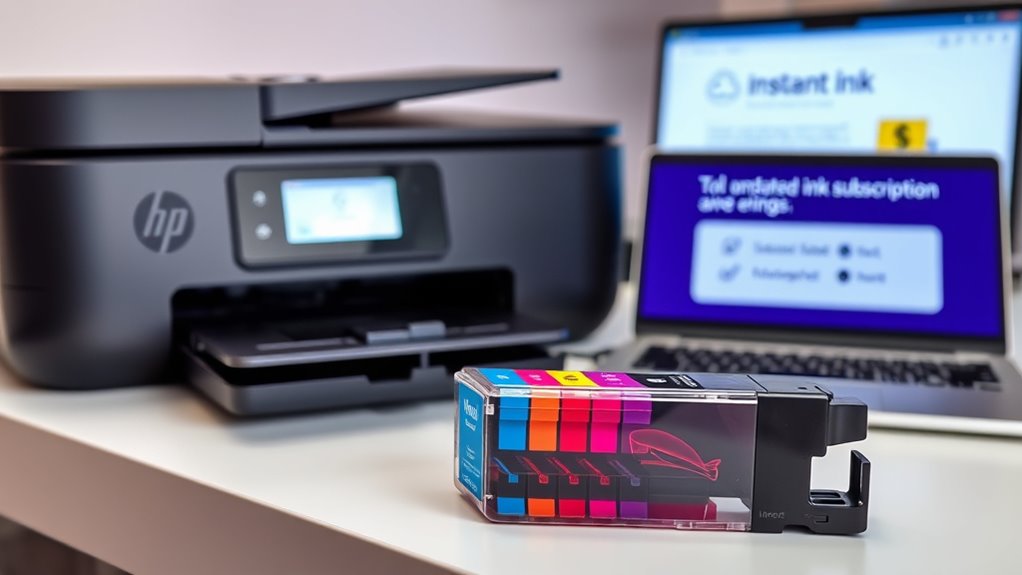
Ever wondered how HP Instant Ink can save you money? This subscription service delivers ink cartridges automatically based on your monthly page plan, not ink volume. It uses remote ink monitoring to track your print volume and ships new cartridges before you run out, keeping your printer running smoothly.
With flexible plan options ranging from 15 to 700 pages, you get to choose what fits your needs. You can change or cancel plans anytime without penalties, and unused pages can rollover up to a limit.
HP Instant Ink helps cut costs by eliminating the need to buy costly cartridges at retail stores. Plus, it promotes environmental sustainability through its recycling program. It’s a smart, eco-friendly way to manage your printing needs and save money.
How Do You Sign Up for HP Instant Ink and Manage Your Plan?
Getting started with HP Instant Ink is easy. First, create an HP account, choose a plan that matches your estimated monthly page usage, and set up your compatible printer.
To sign up, visit the HP Instant Ink website or use the HP Smart app and follow the prompts. During setup, install the HP Instant Ink cartridges into your printer and make sure it’s connected to the internet.
Once your subscription is active, the service automatically monitors ink levels and ships new cartridges proactively. You can manage your plan online by logging into your HP account, where you can change your plan, pause, or cancel anytime—no penalties.
Managing your plan is straightforward, and you can also monitor ink levels and adjust your subscription to fit your needs.
How Does HP Instant Ink Monitor and Replenish Your Ink?
Your printer has built-in sensors that constantly monitor ink levels and usage.
When the ink gets low, it automatically alerts HP’s servers to send a replacement cartridge before you run out.
This proactive system makes sure you always have ink, so you can print without any interruptions.
Continuous Ink Level Monitoring
HP Instant Ink uses the printer’s sensors to keep an eye on ink levels in real-time, so you never unexpectedly run out. These sensors constantly track your ink levels to give accurate data for monitoring.
When ink drops to a low level, the printer automatically sends a notification to HP, alerting you to upcoming needs. This real-time data is processed by HP’s servers, which then trigger a shipment of a new cartridge before you run out.
This seamless system helps prevent printing interruptions by proactively maintaining your ink supply. You don’t need to manually check or reorder—automatic updates keep your printer stocked, keeping your workflow smooth and uninterrupted.
Automatic Cartridge Replenishment
When ink levels drop below a certain point, the printer’s embedded sensors and software detect this change instantly. This triggers the automatic cartridge replenishment process through HP Instant Ink’s ink monitoring system.
The printer communicates with HP’s servers over your internet connection to update ink levels and check ink thresholds. Once it determines your ink is running low, it automatically starts a cartridge shipment.
This ensures you never run out of ink unexpectedly. The system guarantees new cartridges arrive within 7-10 days before your ink is exhausted.
With HP Instant Ink’s automatic cartridge replenishment, managing ink becomes seamless. You no longer need to place manual orders or visit stores.
You always have fresh ink on hand, keeping your printing smooth and efficient.
Which Printers and Ink Cartridges Are Compatible With HP Instant Ink?
Most recent HP Wi-Fi-enabled printers, usually released in the last five years, work with HP Instant Ink. These include models from the HP DeskJet, ENVY, OfficeJet, and LaserJet series that support internet connectivity.
To use Instant Ink cartridges, your printer needs to be connected to Wi-Fi and enrolled in the service. HP+ printers also ensure compatibility and come with the Instant Ink option.
Older printers or ones without Wi-Fi generally aren’t supported. Here’s a quick look at the compatible printer models:
| Printer Series | Compatibility Notes |
|---|---|
| DeskJet | Supports Wi-Fi and works with Instant Ink cartridges |
| ENVY | Supports Wi-Fi and works with Instant Ink cartridges |
| OfficeJet | Supports Wi-Fi and works with Instant Ink cartridges |
This setup helps keep your printer connected and your ink needs simple.
How Does Recycling Work With HP Instant Ink, and How Can You Participate?
If you’re using an HP Instant Ink-compatible printer, participating in the program’s recycling efforts is simple and eco-friendly. HP provides prepaid envelopes for recycling used cartridges, which you can mail back in over 60 countries.
Once received, HP responsibly recycles or reuses the cartridges through the HP Planet Partners recycling program, helping to reduce waste. The process creates cartridges with 4-75% recycled plastic and contains 1-75% post-consumer or post-industrial content.
To join, just enroll and use the included postage-paid envelopes to recycle cartridges after use. This helps close the recycling loop, minimizes environmental impact, and promotes sustainability.
Recycling with HP Instant Ink is easy and allows you to contribute to a greener future effortlessly.
What Are the Main Benefits and Cost Savings of Using HP Instant Ink?
Using HP Instant Ink can significantly reduce your printing costs, often saving up to 50% compared to traditional ink purchases. It’s a great way to keep expenses low.
It also makes life easier with automatic ink deliveries and flexible plans that you can change or cancel anytime. No more running out of ink unexpectedly.
Plus, it supports environmental efforts through cartridge recycling initiatives, making your printing more eco-friendly.
Cost Efficiency and Savings
Have you ever wondered how much money you could save by switching to HP Instant Ink? This program is designed for cost efficiency, helping you cut printing costs considerably. With a fixed monthly fee, you pay for a set number of pages each month, making your expenses predictable.
Most users save up to 50% compared to buying ink cartridges individually, which really boosts your savings. Rollover pages let unused pages carry over, so you get the most value and waste less.
The subscription plan ensures you get ink delivered automatically, saving you time and trips to the store. Plus, the overall cost per page stays lower than traditional ink purchases, giving you a clear price advantage.
All these features make HP Instant Ink a smart, economical choice for frequent printers.
Environmental Benefits
Switching to HP Instant Ink greatly cuts down your environmental impact by reducing waste and lowering carbon emissions. The program encourages sustainable printing by shipping larger cartridges less often, which means less packaging waste and fewer emissions.
Over 962 million cartridges have been recycled worldwide through HP Planet Partners, supporting responsible disposal. About 85% of Original HP Ink Cartridges contain 4-75% recycled plastic, making your printing more eco-friendly.
HP’s initiative promotes recycling through prepaid envelopes, helping reduce cartridge and packaging waste. Using HP Instant Ink also lowers your carbon footprint by optimizing ink usage and reducing unnecessary waste.
Choosing this service supports eco-friendly practices and helps create a more sustainable future.
Troubleshooting Common Issues and Tips to Get the Most Out of HP Instant Ink
If you run into printing issues with HP Instant Ink, start by making sure your printer is connected to the internet and properly enrolled in the program. This helps ensure ink gets delivered on time and everything runs smoothly.
To troubleshoot, try these steps:
- Check for low ink alerts and your plan status using the HP Smart app or your printer’s display.
- Clean the print head regularly to avoid ink flow problems and get clear prints.
- Keep your printer firmware up to date for better compatibility and performance.
- Always use genuine HP Instant Ink cartridges—third-party options can cause connectivity or printing issues.
Following these tips will help keep your printer working efficiently and avoid common problems.
Frequently Asked Questions
Can I Still Use My Printer if I Cancel HP Instant Ink?
Yes, you can still use your printer after canceling HP Instant Ink. Once you cancel, your printer switches back to using standard HP cartridges compatible with your model.
You’ll need to manually buy and install these cartridges, but your printer’s basic functions stay intact. Remember, canceling stops automatic ink deliveries and recycling services, but it doesn’t affect your ability to print or use the device normally.
What Is the Monthly Fee for HP Instant Ink?
The monthly fee for HP Instant Ink varies depending on your plan. It starts at $1.79 for 15 pages and goes up to $27.99 for 700 pages.
You pay based on your expected printing volume, not ink usage. You can change or cancel your plan anytime.
Costs are billed after printing, and extra pages are available for an additional fee. Unused pages may rollover, giving you flexibility and control over your printing costs.
How Do 3 Months of Instant Ink Work?
During the three-month free trial, you can print up to your plan’s limit without paying anything. HP takes care of all cartridge replacements automatically.
You just print as usual. HP monitors ink levels and ships replacements before you run out. If you cancel within three months, you keep the free ink service for the rest of the trial.
After the trial, billing starts based on your chosen monthly page limit. The service then continues automatically.
Does Instant Ink Actually Save Money?
Yes, Instant Ink can save you money, especially if you print often. You pay a fixed monthly fee based on your page plan, which often costs less than buying individual cartridges.
Many users report savings of up to 50%. But if you rarely print, traditional cartridges might be more cost-effective.
Conclusion
With HP Instant Ink, you save money, reduce waste, and make printing simpler. You sign up easily, monitor your ink needs effortlessly, and enjoy reliable, eco-friendly recycling.
You get convenience, cost savings, and peace of mind—all in one plan. So, why not adopt smarter printing and enjoy hassle-free service? It’s good for your wallet and the environment.
Choose HP Instant Ink and experience the benefits of smarter, greener printing today.