What Does a Thermal Printer Use for Ink?
Are you tired of constantly replacing ink cartridges or dealing with messy ink smudges? You’re not alone—many people struggle with finding reliable, clean printing options for their needs. If you’re curious about how thermal printers work and what kind of ink they use, you’re in the right place.
A thermal printer doesn’t use traditional ink cartridges. Instead, it relies on heat-sensitive media or melted ink from ribbons.
In direct thermal printing, the printer heats specially coated paper, causing it to darken where heated.
In thermal transfer printing, the printer heats up a ribbon to transfer wax, resin, or a combination onto the surface.
If you want to learn more about how these methods work, you’re in the right place.
Key Takeaways
- Thermal printers don’t use traditional ink cartridges. Instead, they rely on heat-sensitive media or melted ink from ribbons.
- Direct thermal printers use chemically coated paper that darkens when heated. This eliminates the need for ink altogether.
- Thermal transfer printers, on the other hand, use ribbons with wax, resin, or a mix of inks. These ribbons melt onto surfaces during printing.
- The printing process involves applying heat to activate the media or transfer ink. It doesn’t transfer liquid ink like traditional printers.
- Ribbons in thermal transfer printers are consumables that provide durable images. They replace the need for traditional ink supplies.
What Is Thermal Printing and How Does It Work?
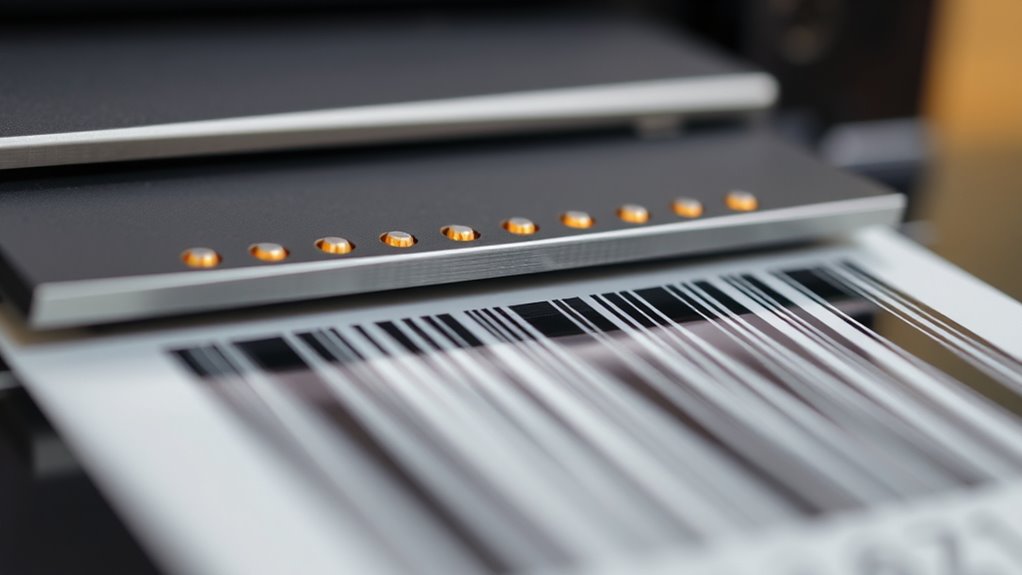
Thermal printing is a technology that uses heat to produce images or text without traditional ink cartridges. In thermal transfer printing, a heated printhead melts wax or resin-based ink from ribbons onto surfaces, creating durable labels and prints.
Alternatively, direct thermal printers rely on heat-sensitive paper that darkens when exposed to heat from the heated printhead. This process forms images directly on the media.
The process involves precise heat application, where the heated printhead activates areas of the media or ribbon, causing the ink or coating to change color. This method eliminates the need for ink cartridges, making it cost-effective and low-maintenance.
Whether using thermal transfer or direct thermal methods, heat is the key element that transforms media into clear, lasting images or text.
What Types of Ink and Media Do Thermal Printers Use?
Thermal printers use specialized media and ribbons instead of traditional ink. Direct thermal printers rely on heat-sensitive paper that darkens when heated.
Thermal transfer printers use wax or resin ribbons to create durable images. Understanding these options helps you choose the right media and ribbons for your printing needs.
Types of Thermal Media
Ever wonder how thermal printers produce images without using traditional ink? They rely on different media types, mainly heat-sensitive paper and thermal transfer ribbons.
Direct thermal printers use heat-sensitive paper coated to darken when heated, so there’s no need for ink or ribbons. Thermal transfer printers, on the other hand, use a thermal transfer ribbon—wax, resin, or a mix—that melts onto labels or media when heated, acting like the ink.
The media types vary: heat-sensitive paper for direct thermal printing, and plastic, polyester, or coated paper for thermal transfer. These materials are designed to respond to heat, allowing the printer to create images without conventional ink.
This method makes thermal printing efficient, clean, and suitable for many different applications.
Ink and Ribbon Options
Instead of traditional ink cartridges, thermal printers rely on specialized media and ribbons to create images.
Direct thermal printers use heat-sensitive paper that darkens when heated, so no ink or ribbons are needed. Thermal transfer printers, on the other hand, use a wax- or resin-based ribbon that melts onto the media when heated, transferring ink onto various surfaces.
The ribbons come in different types, like wax, resin, or a combination, depending on the label’s durability needs. Media options include paper, plastic, polyester, or other synthetic materials, tailored for specific environmental conditions.
How Does Direct Thermal Printing Use Heat-Sensitive Media?
Direct thermal printing uses heat-sensitive media that darkens when heated by the printer’s printhead. This media has a chemical coating that reacts to heat, so there’s no need for ink or toner.
When the printhead applies heat to specific spots, it causes the chemical coating to undergo a reaction, turning those areas black and creating the image or text. The heated elements target precise points on the media, resulting in sharp, clear prints.
Since no ink, ribbons, or toner are needed, the whole process depends only on heating the heat-sensitive material. This makes thermal printing simple, fast, and cost-effective for things like receipts, labels, and tickets.
How Does Thermal Transfer Printing Use Ribbons?
Thermal transfer printing uses a heated printhead that carefully melts ink from a ribbon onto the media surface.
The ribbons contain wax, resin, or a mix of both, which transfer ink when heated. When you activate the printer, the printhead heats specific areas.
This causes the ink on the ribbon to melt and stick to the label or material below. The result is durable images and text that resist water, chemicals, and outdoor conditions.
Ribbons come in different formulations to match various media types and environmental needs. This ensures the best print quality every time.
The process allows for high-resolution, long-lasting prints, making it ideal for industrial labeling, asset tags, and barcode printing.
Do Thermal Printer Ribbons and Media Wear Out Over Time?
Both thermal transfer ribbons and the media they print on gradually wear out over time with regular use.
Thermal transfer ribbons, made of wax, resin, or a mix, wear out as ink transfers during printing, which can reduce print quality.
Thermal transfer ribbons wear out with use, leading to decreased print quality over time.
How long these ribbons last depends on how much you print. Higher volume speeds up their wear and shortens their useful life.
Similarly, thermal media like heat-sensitive paper or coated labels can degrade over time, especially if exposed to heat, light, or chemicals.
This degradation impacts the quality of the prints. When ribbons are used up or print quality drops, they need replacing.
Both ribbons and media have a finite lifespan, so replacing them at the right time is key to maintaining good printing performance and clear output.
How Long Do Thermal Labels and Ribbons Last?
Understanding how long thermal labels and ribbons last helps ensure your printing stays clear and effective. Thermal labels made with direct thermal paper usually last between 6 to 12 months before fading, especially if exposed to light, heat, or chemicals.
Thermal transfer ribbons, like wax, resin, or hybrid types, can last several thousand feet. Resin ribbons tend to offer the longest-lasting images, often exceeding a year in tough outdoor conditions.
Keep in mind these points: Proper storage in cool, dark, and dry conditions can significantly extend the lifespan of thermal labels. The durability of thermal transfer ribbons depends on usage and environment, with high-quality ribbons lasting longer.
To get the most out of your prints, choose the right ribbon type for your environment and application.
How Do You Replace Thermal Printer Ribbons and Media?
Replacing thermal ribbons and media is pretty straightforward if you follow a few simple steps.
Start by removing the used roll from your printer. Then, load the new ribbon or media correctly, making sure everything is aligned.
It’s important to check that the media is tensioned properly so it feeds smoothly.
Regular calibration and maintenance will help keep your printer running smoothly and ensure high-quality prints.
Replacing Thermal Ribbons
Wondering how to replace a thermal ribbon? First, turn off the printer, open the media compartment, and carefully remove the spent spool of thermal ribbons.
To install a new ribbon spool, follow these steps:
- Align the new thermal ribbons with the guides, making sure it feeds smoothly through the printhead.
- Manually advance the ribbon or use the control panel to check tension and positioning.
- Close the compartment securely, then do a test print to confirm everything looks good.
Replacing thermal ribbons properly is key for clear, high-quality prints. Taking your time during installation helps your printer run smoothly and avoids costly mistakes. Remember, a well-installed ribbon makes a big difference in your printing results.
Loading Printer Media
Have you ever struggled to load thermal printer media smoothly? To replace the media, start by opening the printer’s cover and carefully removing the used roll or ribbon spool.
For thermal transfer printers, load a new ribbon spool by threading it through the guides, making sure it’s taut and aligned properly. Next, place a new roll of thermal paper or label media onto the media holder, ensuring it feeds smoothly without wrinkles or jams.
Adjust the media guides to match the size of the new media so it advances correctly through the printhead area. Once everything is in place, close the cover securely.
Run a test print to verify proper media loading and alignment, ensuring your thermal printer functions flawlessly.
Calibration and Maintenance
Once you’ve loaded the media correctly, maintaining top print quality means doing regular calibration and proper upkeep. Start by checking the printhead for any residue buildup and gently clean it with a soft, lint-free cloth to avoid print issues.
When replacing ribbons, make sure the media tension is just right to prevent jams and uneven prints. After installing a new ribbon or media roll, run the printer’s calibration utility to align the printhead properly.
Keep these key steps in mind:
- Clean the printhead regularly to keep residue at bay.
- Adjust media tension during ribbon changes for smooth operation.
- Run calibration tools after replacements to ensure sharp, accurate prints.
Regular maintenance helps your thermal printer work perfectly and lasts longer.
Why Doesn’t Thermal Printing Require Ink Cartridges?
Thermal printing doesn’t need ink cartridges because it uses heat to produce images instead of liquid ink. Direct thermal printers use heat to darken special heat-sensitive paper, so there’s no ink or toner involved.
Thermal transfer printers, on the other hand, use heated printheads to melt wax or resin-based ink from ribbons directly onto the media. This means no cartridges are necessary.
This setup makes thermal printers easier to maintain and less likely to run out of ink, which makes them more reliable and cost-effective. Since they don’t use liquid ink, these printers have fewer moving parts and need refilling less often.
Here’s a quick comparison:
| Feature | Direct Thermal | Thermal Transfer |
|---|---|---|
| Media | Heat-sensitive paper | Ribbons & media |
| Ink | No ink | Melted wax/resin |
| Maintenance | Lower | Lower |
Frequently Asked Questions
Do Thermal Printers Use Any Ink?
No, thermal printers don’t use ink. Instead, they rely on heat to produce images.
Direct thermal printers heat specially coated paper, which turns black when heated, creating your print.
Thermal transfer printers use a heated printhead to melt wax or resin-based ribbons onto the media.
Both methods don’t need ink cartridges, toner, or liquid ink, making thermal printing a clean and efficient process.
Is There a Downside to Thermal Printers?
Think of a thermal printer as a chameleon, changing with its environment. Yes, there are downsides. You might notice your prints fade over time when exposed to heat, light, or friction.
Maintenance can be a chore, needing replacement of ribbons. Plus, thermal prints aren’t ideal for outdoor use or color printing. Direct thermal labels can also be less resistant to water and chemicals.
How Does a Thermal Printer Get Ink?
A thermal printer gets ink either from heat-sensitive media or by melting ink from ribbons. In direct thermal printing, the heat activates chemicals in special paper, making it darken without ink.
In thermal transfer printing, the heated printhead melts wax or resin-based ink from ribbons onto the surface. So, instead of traditional ink, these printers rely on heat to create images and text.
What Do Thermal Printers Use Instead of Ink?
Thermal printers don’t use traditional ink. Instead, direct thermal printers rely on heat-sensitive paper that darkens when heated, so you don’t need ink or toner.
Thermal transfer printers use a heated ribbon coated with wax or resin-based ink. The heat melts the ink onto the paper, creating the images.
In both cases, heat activates the media directly, so there’s no need for liquid or powder ink supplies.
Conclusion
So, next time you use a thermal printer, remember it’s not about ink but heat-sensitive media or ribbons doing the work.
It’s almost funny how, in a way, thermal printing quietly relies on a clever coincidence—heat creating images without ink cartridges.
It’s a simple yet fascinating process that keeps your labels and receipts clear and lasting, proving that sometimes, the most straightforward solutions are the most ingenious.
In the end, thermal printers use special heat-sensitive paper or ribbons rather than traditional ink, making the process efficient and reliable.