Essential Ink Requirements for Laser Printers
Are you tired of blurry, faded prints that just don’t look professional? Many people struggle with achieving that crisp, clear output they need for documents or presentations. Finding the right toner for your laser printer can feel overwhelming, especially with so many options out there.
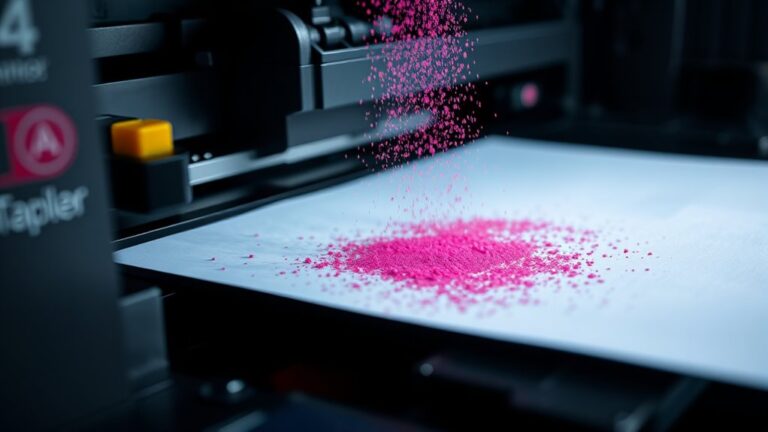
Laser printers don’t use traditional ink; instead, they rely on toner cartridges filled with dry powder made of plastic particles, pigments, and charge agents, which are essential for producing sharp, durable images. The toner’s particle size and composition ensure proper adhesion and print quality.
To maintain your prints consistent, you need the right toner compatible with your printer model. If you want to understand what makes quality toner and how to choose it, keep exploring this guide.
Key Takeaways
- Laser printers mainly use toner, which is a dry powder, instead of liquid ink. This means you need specific toner cartridges that match your printer model.
- The toner particles are usually between 5 to 15 micrometers in size. This small size is key for getting consistent print quality and precise image transfer.
- Storing toner cartridges properly is important. Keep them at temperatures between 59 and 77°F to maintain their quality and prevent clumping or deterioration.
- The fusing temperature should stay below 350ºF. That’s because this heat melts the toner correctly, making sure your prints are durable and resistant to smudges.
- Lastly, make sure the toner type and cartridge specifications are compatible with your printer. This is essential for achieving the best performance and longer-lasting prints.
What Are the Main Components of a Laser Toner Cartridge?
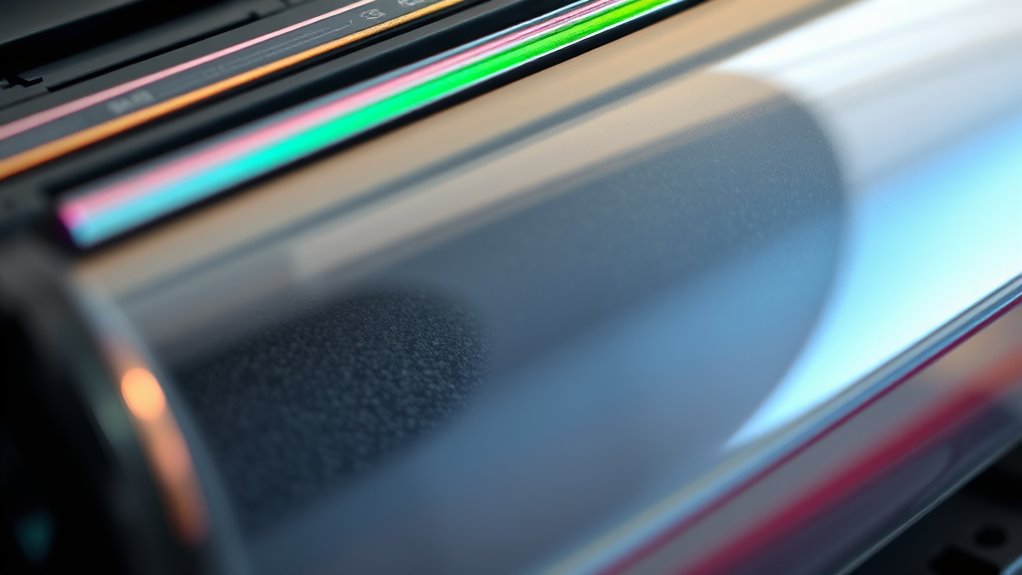
A laser toner cartridge has several main parts that work together to produce sharp prints. The toner hopper stores the toner powder, which is a fine mix of plastic particles, pigments, and charge agents.
A laser toner cartridge contains key components that work together to produce clear, high-quality prints.
The developer roller moves toner from the hopper to the photoreceptor drum, which is coated with a photosensitive material. The drum holds an electrostatic image created by the laser, discharging specific areas to form the image.
As the toner powder sticks to these charged areas, it creates the visible image. After printing, a cleaning blade removes excess toner from the drum to keep it clear for the next print.
These parts—toner cartridges, toner hopper, developer roller, photoreceptor drum, and cleaning blade—work smoothly together to deliver high-quality, precise prints.
How Does Laser Toner Differ From Inkjet Ink?
Laser toner is a dry, plastic-based powder that gets fused onto paper with heat. This makes it more durable and resistant to water and smudging.
In contrast, inkjet ink is a liquid that’s sprayed onto paper and dries through evaporation. Because of that, it can be less resistant over time.
These core differences influence printing speed, durability, and what tasks each type is best suited for.
Composition and Material Differences
Ever wondered how laser toner differs from inkjet ink in regards to composition and materials? Toner is a dry powder made of plastic particles, pigments, and charge agents, designed for precise application. Inkjet ink, on the other hand, is a liquid solution with dyes or pigments suspended in water or another solvent.
Toner particles are usually smaller than ink droplets, ranging from 5 to 15 micrometers. This helps produce sharp images and details. The polymer in toner includes thermoplastic components like styrene-acrylate resins that melt and fuse onto paper during printing.
Inkjet inks rely on solubility, with dyes or pigments dissolving in liquid solvents. These material differences affect how each interacts with paper, influencing durability, resolution, and overall print quality.
Application and Fusing Process
The application and fusing processes of laser toner and inkjet ink are quite different, which impacts how durable and good the printed images look. In laser printing, the process starts with laser beams charging specific areas of a drum, which then attract toner particles made of dry powder that contains plastic and pigment.
These toner particles transfer onto paper or plastic. The key step is the fusing process, where heat below 350ºF melts the toner, bonding it securely through thermal fusion. This results in toner particles melting onto paper, plastic particles forming a solid layer, heat activating the dry powder, and creating a durable, smudge-proof image.
Unlike inkjet ink, which dries by evaporation, toner’s heat-based fusing guarantees the image will last longer and resist smudging.
Durability and Environmental Resistance
Unlike inkjet ink, which is water-based and can smudge or wash away when exposed to moisture, laser toner is designed to withstand environmental challenges. The fused toner creates a permanent bond with paper, making it more resistant to water, fading, and UV damage.
This results in superior durability and environmental resistance, making it ideal for long-term or outdoor use. Laser-printed documents with fused toner resist scratches and moisture, helping them stay clear over time.
| Feature | Advantage | Result |
|---|---|---|
| Water resistance | Fused toner resists moisture and smudging | Durable, long-lasting |
| UV stability | Larger toner particles withstand UV light | Fade-resistant |
| Environmental durability | Resists humidity and environmental factors | Reliable outdoor prints |
How to Choose the Right Toner for Your Laser Printer
Choosing the right toner starts with making sure it’s compatible with your specific printer model by matching the cartridge number.
Think about your printing needs—if you do a lot of printing, high-yield cartridges can save you time and money.
Decide if you want color or monochrome toner based on what you typically print.
Always buy from trusted sources to ensure good quality and avoid counterfeit products.
Compatibility and Model Specificity
To guarantee ideal print quality and prevent damage to your laser printer, it’s essential to choose a toner cartridge that matches your specific model. Consider these key points:
- Verify the model number to ensure cartridge compatibility with your laser printer models.
- Check the printer specifications or user manual for recommended toner cartridge types.
- Use your serial or model number to confirm if remanufactured cartridges meet your printer’s needs.
- Pay attention to toner formulation and color configuration, whether it’s monochrome or color (cyan, magenta, yellow, black).
Matching your compatibility and model specifics ensures smooth operation and ideal print quality, avoiding jams or issues caused by incompatible cartridges.
Color and Page Yield
When selecting the right toner for your laser printer, understanding color options and page yield is essential for maximum results. The toner color, whether black or color toner, influences your print quality. Black toner is great for text, while CMYK cartridges are needed for vibrant images and graphics.
Page yield, indicated by the manufacturer, estimates how many pages a toner cartridge can print before needing replacement. High-yield toner cartridges, though more expensive upfront, usually offer a lower cost per page and are better for high-volume printing.
Choosing the right toner depends on your typical print volume and whether you need standard or high-yield options. By considering toner color and page yield, you can ensure your printing is efficient and cost-effective, tailored to your needs.
How Can I Check if a Toner Cartridge Is Compatible With My Printer?
Checking if a toner cartridge is compatible with your printer starts with verifying the model number. First, look at the toner cartridge itself and make sure the model number matches what’s listed in your printer’s manual or specs.
Next, use your printer’s software or control panel to check the current toner model and compatibility info. Then, visit the printer manufacturer’s official support site to find a list of compatible toner cartridges for your specific printer model.
You can also match the part number or SKU on the cartridge with those in retailer or supplier databases. Lastly, consider using compatibility tools or apps from manufacturers or third-party vendors to double-check if the toner fits your printer model.
This way, you’ll ensure smooth compatibility and peak performance.
How Do I Store and Handle Toner to Keep It in Good Condition?
Proper storage and handling of toner cartridges are key to keeping them in top shape and ensuring your printer works smoothly. Store your toner cartridges in a cool, dry place away from direct sunlight and extreme temperatures to prevent clumping and deterioration.
Keep the cartridges in their original packaging until you’re ready to use them. This helps protect against dust and moisture, which can affect print quality. When handling cartridges, do so carefully—avoid shaking or dropping them to prevent spills and damage to the toner powder.
Always place cartridges on a flat surface during handling. This prevents leaks and uneven toner distribution. Follow the manufacturer’s guidelines, which usually recommend a temperature range of 59-77°F (15-25°C) for optimal toner preservation.
Taking good care of your toner cartridges extends their lifespan and keeps your prints looking great every time.
How to Replace and Recycle Your Laser Toner Cartridges Properly
Replacing and recycling your laser toner cartridges properly helps keep your printer working well and protects the environment. When you’re ready to replace a cartridge, just follow these easy steps:
First, carefully remove the toner cartridge, making sure not to spill any toner powder. It’s best to handle it gently to avoid messes.
Next, check if the cartridge is actually empty and clean it before disposal or recycling. This helps ensure proper recycling and reduces waste.
Use designated recycling bins or authorized collection points to prevent environmental contamination. This way, your used cartridges are recycled responsibly.
Finally, see if your printer’s manufacturer offers a recycling program. Some even give rewards or discounts for returning empty cartridges.
Proper removal and disposal support eco-friendly practices by reducing electronic waste and saving resources. Many manufacturers’ programs make recycling simple and environmentally friendly.
Always follow the manufacturer’s instructions for removing cartridges and participate in recycling programs. It’s a great way to help the planet while keeping your printer in top shape.
Troubleshooting Common Laser Toner Problems
When your laser printer produces streaks, smudges, or incomplete prints, it’s often due to issues with the drum or toner cartridge that need attention. Start by checking the toner levels; low toner can lead to faded or uneven prints.
Laser print issues often stem from worn drums or low toner levels needing inspection.
If you notice toner smudging, carefully clean the toner cartridge and drum to remove any excess toner or debris. Make sure the toner cartridge is installed correctly and aligned properly.
Paper jams could be caused by a malfunctioning fuser unit or using incompatible paper. Check for any obstructions and ensure you’re using the right type of paper.
Poor toner transfer, which results in streaks or uneven areas, often points to a dirty or misaligned drum. Replacing worn-out toner cartridges or cleaning the fuser can help restore good toner transfer and improve your print quality.
Frequently Asked Questions
Do Laser Printers Need Any Ink?
No, laser printers don’t need ink. Instead, they use toner powder, which is a dry, plastic-based substance, to create images and text.
When you print, heat and electrostatic charges fuse the toner onto paper. Since they don’t rely on liquid ink or ink cartridges, you won’t need to worry about refilling ink.
Just make sure your toner cartridges are filled, and your printer will keep working efficiently.
Why Are Laser Printers Being Phased Out?
You might notice laser printers are becoming less common, and that’s largely due to environmental concerns and evolving technology.
As the industry shifts towards greener options, these printers face challenges like waste disposal issues and emissions regulations.
Plus, newer inkjet models now offer similar speed and quality with less environmental impact.
The higher costs and maintenance of laser printers make them less attractive, encouraging you to look into more eco-friendly, cost-effective printing solutions.
What Is the Most Reliable Printer Brand?
You should consider Hewlett-Packard (HP) as the most reliable printer brand. HP is known for its consistent performance, durable hardware, and high-quality output.
Its printers require minimal maintenance and handle various workloads efficiently. Whether for home or office use, HP offers a range of models that deliver dependable results over time.
Choosing HP means you get a trusted brand that prioritizes durability, performance, and user satisfaction.
What Ink Do You Buy for a Laser Printer?
You buy toner cartridges, not liquid ink, for your laser printer. These cartridges contain dry toner powder made of plastic particles and pigments.
When you need new supplies, choose a cartridge specifically designed for your model. Think about whether you want a standard or high-yield option.
Unlike inkjet printers, your laser printer relies on toner cartridges, which are replaced when they run out, not traditional ink bottles.
Conclusion
Managing the world of laser toner is like tending a delicate garden. You need the right tools, proper care, and a bit of know-how to keep everything flourishing.
By understanding your cartridge’s main components, choosing the right toner, and handling it with care, you ensure your printer runs smoothly.
Keeping your toner cartridge in good shape helps your printer perform at its best.
With the right essential ink requirements, your laser printer will produce sharp, vibrant prints every time.
So, take care of your toner, and your prints will always shine brightly, turning everyday pages into masterpieces.